
Document Repository
Store files, forms, certificates, contracts, policies, records and attachments in organized folders or categories.


Digitize approvals, document movement, records, reviews and internal workflows with systems built for secure access, version control and traceable business processes.
Clio’s workflow and document management systems help organizations manage files, forms, approvals, records, version history, user roles, review steps and process status through a structured digital platform.
Store, organize, search and manage business documents with controlled access and structured records.
Route requests, files, forms and approvals through defined business steps without depending on manual follow-ups.
Track versions, user actions, approvals, comments, edits and document movement for better process visibility.
Workflow and Document Modules
The system brings document storage, approval routing, review comments, task ownership, version control and records into a shared workflow so teams can act on the right file at the right stage.

Store files, forms, certificates, contracts, policies, records and attachments in organized folders or categories.
Move documents through review, approval, rejection, escalation and closure steps based on defined rules.
Maintain document versions, change history, active files and previous drafts for controlled document use.
Show pending approvals, assigned users, due dates, review stages, escalations and completion status.
Use tags, fields, categories, dates, owners and search filters to find documents faster.
Track uploads, edits, downloads, approvals, rejections, comments and user actions across document workflows.
Document Workflow Areas
Documents become difficult to manage when teams share files through email, store different versions in separate folders or approve records without a clear action history.
Manage policies, SOPs, manuals, circulars, guidelines and controlled documents with review and approval stages.
Track drafts, legal reviews, approvals, attachments, renewal dates and signed document records.
Organize onboarding files, employee records, letters, approvals, identity documents and internal forms.
Manage invoices, purchase documents, vendor files, expense records, approvals and supporting documents.
Maintain evidence files, submissions, review notes, approvals, logs and records required for audits.
Route internal requests, forms, documents, clarifications and approvals between departments.
Workflow Readiness
Before the platform is shaped, Clio studies document types, approval rules, user roles, retention needs, access levels, version rules and reporting outputs the system must support.
List the files, forms, contracts, policies, records and supporting documents that need digital management.
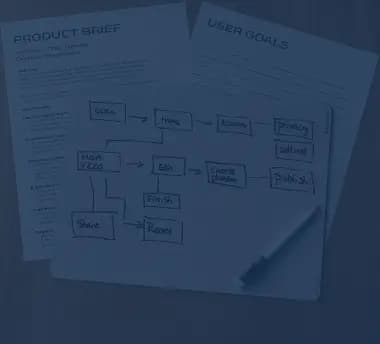
Define who reviews, approves, rejects, escalates or closes each document or request.

Clarify role-based access, department permissions, confidential files and document ownership.

Confirm version rules, archive requirements, audit logs, retention periods and reporting views.
Platform Implementation
The rollout covers document study, workflow mapping, repository structure, permission setup, validation and handover so the system reflects how records move inside the organization.
Step 1
Document Study
Understand document types, current storage habits, review steps, approval pain points and ownership rules.
Step 2
Workflow Mapping
Define routing stages, user roles, approval rules, escalation paths, notifications and closure points.
Step 3
Repository Structure
Plan folders, categories, metadata fields, naming rules, version handling and archive areas.
Step 4
System Validation
Check uploads, access rules, approval paths, version history, search behavior and audit logs before rollout.
Step 5
Operating Handover
Share role references, workflow notes, document rules, dashboard views and maintenance inputs with the team.

Technology Stack
Workflow and document management systems may involve web portals, databases, document storage, APIs, dashboards, search, notifications, OCR support and access controls based on the operating model.

Why Clio
Clio looks at document ownership, approval rules, access levels, version history, department movement and reporting needs together so the platform manages both the document and the workflow around it.
The platform is shaped around how documents move between users, departments, reviewers and approvers.
Version history, access rules, archive needs and review stages are planned into the document flow.
Dashboards can show pending actions, delayed approvals, assigned users and process status.
Uploads, edits, approvals, rejections, comments and user actions are included in the record history.

Solution Tracks
Clio can support a document management system, approval workflow platform, compliance record system or department-level process automation requirement.
A workflow and document management system helps organizations store, route, review, approve, track and manage documents through controlled digital processes.
Document management focuses on storing, organizing, searching and controlling files. Workflow management focuses on how those files, forms or requests move between people, departments and approval stages.
Document workflow automation routes documents through review, approval, escalation, notification and closure steps based on defined business rules.
Document version control keeps track of current and previous versions so teams know which file is active, what changed and who made the update.
Yes. The system can support multi-level approvals, review comments, rejection reasons, escalations, reminders, status tracking and approval history.
Yes. Documents can be organized and searched using metadata such as category, owner, date, department, document type, status or custom fields.
Yes. The platform can connect with ERPs, CRMs, portals, HR systems, finance tools, email systems or approved business applications through planned APIs or integration layers.
Cost and timeline depend on document types, workflow complexity, user roles, access rules, integrations, migration needs, search requirements, audit trail depth and reporting scope.

Share your approval process, document types, record structure, audit needs or department workflow requirement with Clio.