
AI Consulting and Use Case Mapping
Review business processes, user needs, data availability and system fit before deciding what should be built.


Build custom AI apps, LLM-powered features, workflow automation and model-backed software around the data, tools and processes your business already uses.
Clio helps businesses move from an AI idea to a working software feature through use case planning, data preparation, LLM development, automation, model deployment and integration with existing systems.
Build AI-enabled software for internal teams, customer platforms, dashboards, portals or business operations.
Add search, summarization, document handling, guided assistance or knowledge access inside existing software.
Map the right use case, prepare the build plan and develop the AI feature with clear deployment needs.
AI & Machine Learning Services
AI development needs a clear workflow, reliable data and a place where the output is actually used. Clio works across those layers before writing the first production feature.

Review business processes, user needs, data availability and system fit before deciding what should be built.
Develop AI-enabled applications for document review, task assistance, reporting, decision support or workflow handling.
Build LLM features for internal search, summarization, content support, document extraction or user assistance.
Use AI to reduce manual review, repetitive data entry, document processing and routine operational steps.
Prepare the data flow needed for AI systems, including collection, cleaning, structuring, storage and access.
Deploy AI or ML models into applications, dashboards, APIs, cloud environments or internal business tools.
AI Application Areas
The best place to apply AI is usually where teams repeat the same review, search, extraction, prediction or decision-support work every day.
Extract, classify, summarize or organize information from forms, invoices, reports, contracts and internal records.
Help users ask questions across internal documents, policies, manuals, tickets or structured knowledge bases.
Move repetitive checks, routing, tagging, review steps or data updates into AI-assisted workflows.
Use historical data to support forecasting, scoring, trend detection, risk flags or operational planning.
Apply image or video analysis for detection, inspection, monitoring, counting or visual review use cases.
Create assistants that help users search, answer, summarize, guide actions or complete tasks inside software.
AI Readiness
Before AI development starts, Clio reviews the workflow, data quality, system access, expected output and review needs so the solution does not stay stuck as a demo.

Confirm the problem, users, expected output and business action the AI feature should support.
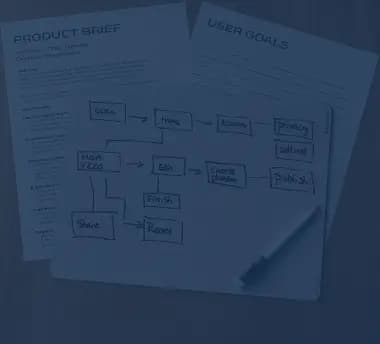
Review data sources, quality, format, volume, access rules and gaps that may affect the build.

Decide where the AI output should appear, such as a portal, dashboard, app, API or internal tool.

Define accuracy checks, human review points, exception handling, privacy needs and monitoring requirements.
AI Development Process
The work moves through use case review, data preparation, feature development, integration, testing and deployment planning so the AI output can be used in a real system.
Step 1
Use Case Review
Understand the workflow, users, data source, expected result and decision the AI feature should support.
Step 2
Data Preparation
Clean, structure, label or organize the information needed for LLM features, automation or model work.
Step 3
Feature or Model Build
Develop the AI feature, automation logic, model workflow, prompt structure or processing layer.
Step 4
System Integration
Connect the output with the application, dashboard, API, database or internal process where it will be used.
Step 5
Deployment and Review Plan
Prepare deployment, testing, monitoring, feedback handling and improvement notes for post-release use.

Technology Stack
AI projects may involve LLMs, ML frameworks, data tools, vector search, APIs, cloud platforms and monitoring depending on the use case and deployment setup.

Why Clio
Clio looks at the process, data source, software environment and review points before recommending an AI build, so the feature has a clear place in daily use.
The work begins with the business task, user action and output needed from the AI feature.
Data quality, access, structure and privacy needs are reviewed before development moves ahead.
AI features can be connected with portals, dashboards, mobile apps, APIs, databases or internal tools.
Testing, monitoring, review controls and future improvements are considered before the feature goes live.

Engagement Models
Bring Clio in to validate an AI idea, build an LLM feature, automate a workflow, prepare data pipelines or deploy a model into active software.
AI development services cover the planning, building and deployment of AI-enabled software, LLM features, workflow automation, data pipelines and model-backed systems.
AI is the broader field of software that can assist with tasks such as language, reasoning, automation or decision support. Machine learning is a part of AI that uses data patterns to make predictions, classifications or recommendations.
A business should usually start with a workflow that is repetitive, slow, document-heavy, data-heavy or dependent on manual review. The right first use case should have clear data and a clear place in the current process.
Yes. Clio can build LLM-powered features for search, summarization, document extraction, knowledge access, content support and guided user assistance.
Yes. AI features can be added to portals, dashboards, mobile apps, internal platforms, SaaS products and business systems through APIs, data pipelines and integration work.
The data depends on the use case. Most AI projects need relevant, accessible and usable data, with clear rules around format, quality, privacy, ownership and system access.
Model deployment means placing an AI or ML model into a real application, workflow, API or cloud environment so the output can be used by people or systems.
Check whether the AI development company can understand the workflow, review data readiness, explain the build approach, integrate with existing systems and plan deployment, monitoring and review controls.

Share your workflow, data source, software system, LLM feature idea or automation requirement with Clio.